A website shouldn’t just “exist.” If you’re searching for the best website developer in Mayiladuthurai, you’re likely looking for one thing: a website that brings real enquiries—calls, WhatsApp messages, bookings, walk-ins, or online sales.
But many local business websites fail to perform because they:
- load slowly on mobile,
- don’t show up on Google for local searches,
- look outdated (and reduce trust),
- or don’t guide visitors with a clear call-to-action.
This guide explains what a strategic WordPress website should include, typical pricing and timeline in Mayiladuthurai, and how to choose a developer who builds websites for results, not just design.
Quick links:
- See my work: https://vigroos.in/projects
- View services: https://vigroos.in/services
- Contact for a quote: https://vigroos.in/contact
Why a “Strategic Website” Matters More Than a “Beautiful Website”
A beautiful website can still fail if it doesn’t guide visitors to take action.
A strategic business website is built around:
- Clarity: What do you offer? Who is it for? Why should they trust you?
- Conversion: Clear calls-to-action (Call / WhatsApp / Get Quote / Book Consultation)
- SEO foundation: Clean structure so Google can understand and rank your pages
- Mobile-first experience: Most local searches happen on phones
- Speed + performance: Fast websites keep users longer—and Google prefers them
If your website doesn’t help people take the next step, it’s not a business asset—it’s a digital brochure.
Signs Your Current Website Is Costing You Customers (Common Local Issues)
These problems are common in many older websites (especially sites built without strategy):
1) Unprofessional or outdated design
Visitors decide trust within seconds. If the website looks outdated, many users assume the business is too.
2) Not showing on Google (or showing only for your business name)
If you’re not visible for searches like:
- “website designer in Mayiladuthurai”
- “clinic near me”
- “interior designer Mayiladuthurai”
you miss high-intent leads.
3) No clear call-to-action (CTA)
If visitors don’t know what to do next, they leave. A strong website makes the next step obvious.
4) Poor mobile experience
Broken layout, tiny text, hard-to-tap buttons, slow loading—mobile issues kill enquiries.
5) Slow speed (especially on mobile data)
Speed impacts user experience and also Core Web Vitals (Google’s performance signals).
You can test your website speed here: https://pagespeed.web.dev/
What a High-Performing WordPress Business Website Should Include (Checklist)
If you’re investing in a new website (or upgrading an old one), use this checklist.
Core Pages (Most Small Businesses Need These)
- Home (clear headline + services + proof + CTA)
- About (your story + credibility + what makes you different)
Example internal link: https://vigroos.in/about - Services (clear list + separate sections; ideally individual service pages)
Example internal link: https://vigroos.in/services - Projects / Portfolio (proof of quality and experience)
Example internal link: https://vigroos.in/projects - Testimonials (local trust = faster decisions)
- Contact (click-to-call + WhatsApp + map + simple form)
Example internal link: https://vigroos.in/contact
Conversion Essentials (Non-Negotiable)
- Sticky Call / WhatsApp buttons on mobile
- A strong CTA above the fold (example: “Book a Free Consultation”)
- Short enquiry forms (Name + Phone + Requirement is enough)
- Trust builders near CTAs: testimonials, “projects completed”, guarantees, process, etc.
SEO Foundation (So You Can Rank Locally in Mayiladuthurai)
- Proper headings (one H1, then clean H2/H3)
- SEO title + meta description for every page
- Clean URLs (example:
/website-developer-mayiladuthurai/) - Image optimization (size + alt text)
- Local keyword placement naturally (Mayiladuthurai + your service)
- Schema basics (LocalBusiness + FAQ schema)
Google’s own starter guide (useful reference):
https://developers.google.com/search/docs/fundamentals/seo-starter-guide
Performance + Security
- Fast hosting + caching setup
- Optimized images + lazy loading
- SSL certificate (HTTPS)
- Spam protection on forms
- Updates + backups (especially for WordPress)
If a developer can’t explain these clearly, that’s a red flag.
How Much Does a WordPress Website Cost in Mayiladuthurai?
Pricing depends on website type, number of pages, content needs, and whether you need ecommerce.
Below are starting prices (good for setting expectations). For an exact quote, it’s better to review your requirements first.
1) Basic Business Website (Starter)
Best for: single-location service businesses, consultants, small shops
Includes: 4–6 pages, mobile responsive, basic on-page SEO, enquiry form
Starting from: ₹5,000+
2) Standard Lead-Generating Website (Recommended)
Best for: businesses that want more enquiries + better Google visibility
Includes: conversion-focused layout, stronger SEO structure, faster performance, service sections/pages
Starting from: ₹8,000+
3) Website Redesign + Optimization
Best for: existing site owners who want better design, speed, and enquiries
Includes: UI/UX upgrades, CTA improvements, speed fixes, better structure
Starting from: ₹8,000+ (depends on current site condition)
4) WooCommerce Ecommerce Website
Best for: brands selling products online
Includes: product pages, categories, cart/checkout, payment gateway, shipping setup, security
Starting from: ₹10,000+ (based on product count + features)
What changes the final cost?
- Number of pages and custom sections
- Content writing (do you provide content or need help?)
- Custom UI/UX vs template-based build
- Ecommerce complexity (variants, filters, shipping rules, integrations)
- Performance goals (Core Web Vitals optimization takes time)
- Ongoing maintenance and support
Tip: Don’t choose based only on the lowest price. A cheap website that doesn’t convert is more expensive long-term.
Typical Timeline: How Long Does It Take to Build a WordPress Website?
For most small businesses, a professional WordPress website takes 1 to 4 weeks depending on content readiness and revisions.
Week 1: Discovery + Requirements
- Goal setting (leads, bookings, sales)
- Sitemap planning (pages you need)
- Competitor scan + design direction
Week 2: UI/UX Design
- Homepage structure + section flow
- Service page / landing page layout
- Mobile-first layout planning
Week 3: WordPress Development (Often Using Elementor)
- Responsive build
- Forms + WhatsApp/call buttons
- On-page SEO setup + speed baseline
Week 4: Revisions + Launch
- Final changes
- Device/browser testing
- Launch + basic training (how to update content)
If you provide content early (services, photos, address, testimonials), delivery becomes much faster.
Local SEO Basics for Mayiladuthurai Businesses (Quick Wins)
Even the best website needs local signals to rank.
1) Google Business Profile (GBP) is essential
Make sure your GBP has:
- Correct NAP (Name, Address, Phone)
- Website link
- Service categories
- Photos
- Regular posts/updates
- Reviews (and replies)
GBP help resource: https://support.google.com/business/
2) Use local keywords naturally on your pages
Examples (use naturally, not stuffed):
- “Best website developer in Mayiladuthurai”
- “WordPress website developer in Mayiladuthurai, Tamil Nadu”
- “Website design services in Mayiladuthurai”
You can also mention nearby areas if you serve them: Kuttalam, Sirkazhi, Kumbakonam, Nagapattinam.
3) Create service pages (not only a single “Services” page)
Instead of one page for everything, consider separate pages like:
- WordPress Website Design
- WooCommerce Development
- Landing Page Design
- Website Redesign & Optimization
- Website Maintenance
This helps you rank for more searches and match specific intent.
(You already have a services hub here: https://vigroos.in/services)
4) Add local trust signals
- Testimonials with names + locations (Mayiladuthurai/Chennai, etc.)
- Project screenshots and results
- Clear phone number + WhatsApp on every page
- Consistent contact info in header/footer
How to Choose the Best Website Developer in Mayiladuthurai (Simple Questions)
Hiring a developer isn’t just about “getting a website.” You’re choosing someone who impacts your brand trust online.
Ask these questions before finalizing:
1) Will the site be built for conversions or only for design?
Ask: “Where will the CTA go? How will you increase enquiries?”
A strong answer includes layout flow, CTAs, mobile buttons, and page structure.
2) Will it be SEO-ready from day one?
Ask: “Do you set heading structure, meta titles, internal links, and image optimization?”
3) How do you handle speed and Core Web Vitals?
Ask: “How do you optimize speed on mobile?”
Look for image compression, caching, clean plugins, and hosting guidance.
4) Do I own everything after the project?
You should receive:
- WordPress admin access
- Domain + hosting login (or ownership clarity)
- Theme/plugin licensing clarity (Elementor, etc.)
- Full website files and database access if needed
5) Do you offer maintenance and support?
WordPress needs updates and security monitoring. Ask about:
- update schedule
- backups
- security checks
- small change requests
Red flags:
- no real portfolio
- vague “SEO will be done” promises without specifics
- no mobile-first thinking
- no speed/performance discussion
- hidden recurring fees
(If you want examples of real builds, link users to your proof page: https://vigroos.in/projects)
Real-World Website Structures That Work (By Business Type)
Corporate / Service Businesses (Logistics, Consultants, Agencies)
What works:
- clean service sections
- quote/consultation CTA
- trust-focused design + simple navigation
Clinics and Professionals (Doctors, Therapists, Wellness)
What works:
- credibility first (reviews, credentials, clean design)
- appointment-focused CTA
- simple mobile UI (less confusion = more bookings)
Ecommerce (WooCommerce Brands)
What works:
- category structure + filters
- fast product pages
- smooth checkout + secure payment setup
- mobile-first UX (most buyers use phones)
WordPress + WooCommerce official info (reference):
https://woocommerce.com/ and https://wordpress.org/
Quick Action Plan: Get More Enquiries From Your Website (Even Without Ads)
If you want practical next steps, start here:
- Add a clear CTA above the fold (Call/WhatsApp/Free Consultation)
- Add WhatsApp + click-to-call buttons on every mobile page
- Improve homepage flow: problem → solution → proof → CTA
- Create individual service pages (not only one services page)
- Optimize images (large images are the #1 reason WordPress sites become slow)
- Complete and actively update your Google Business Profile
- Add testimonials + project screenshots near CTAs
Small improvements can increase conversions without spending extra money.
FAQs (Ideal for Rank Math + FAQ Schema)
1) Is WordPress good for small business websites?
Yes. WordPress is flexible, affordable, and easy to manage—ideal for service businesses, startups, and ecommerce with WooCommerce.
2) How many pages does a small business website need?
Most small businesses need 5–8 pages (Home, About, Services, Projects, Testimonials, Contact) and optionally separate pages per service.
3) Can my website rank on Google locally in Mayiladuthurai?
Yes—if your site has proper SEO structure, local keywords, fast performance, and a well-optimized Google Business Profile with reviews.
4) Do I need a landing page or a full website?
A landing page is great for one focused offer and fast leads. A full website is better for long-term trust, SEO, and multiple services.
5) How long does it take to build a WordPress website?
Usually 1–4 weeks, depending on features, content readiness, and revisions.
6) Do you provide maintenance after launch?
Maintenance is recommended for updates, backups, and security—especially for WordPress and WooCommerce sites.
7) What’s the difference between redesign and rebuilding?
A redesign improves layout and UX while keeping the base. A rebuild is better if the site is outdated, slow, poorly structured, or difficult to maintain.
Ready to Work With the Best Website Developer in Mayiladuthurai?
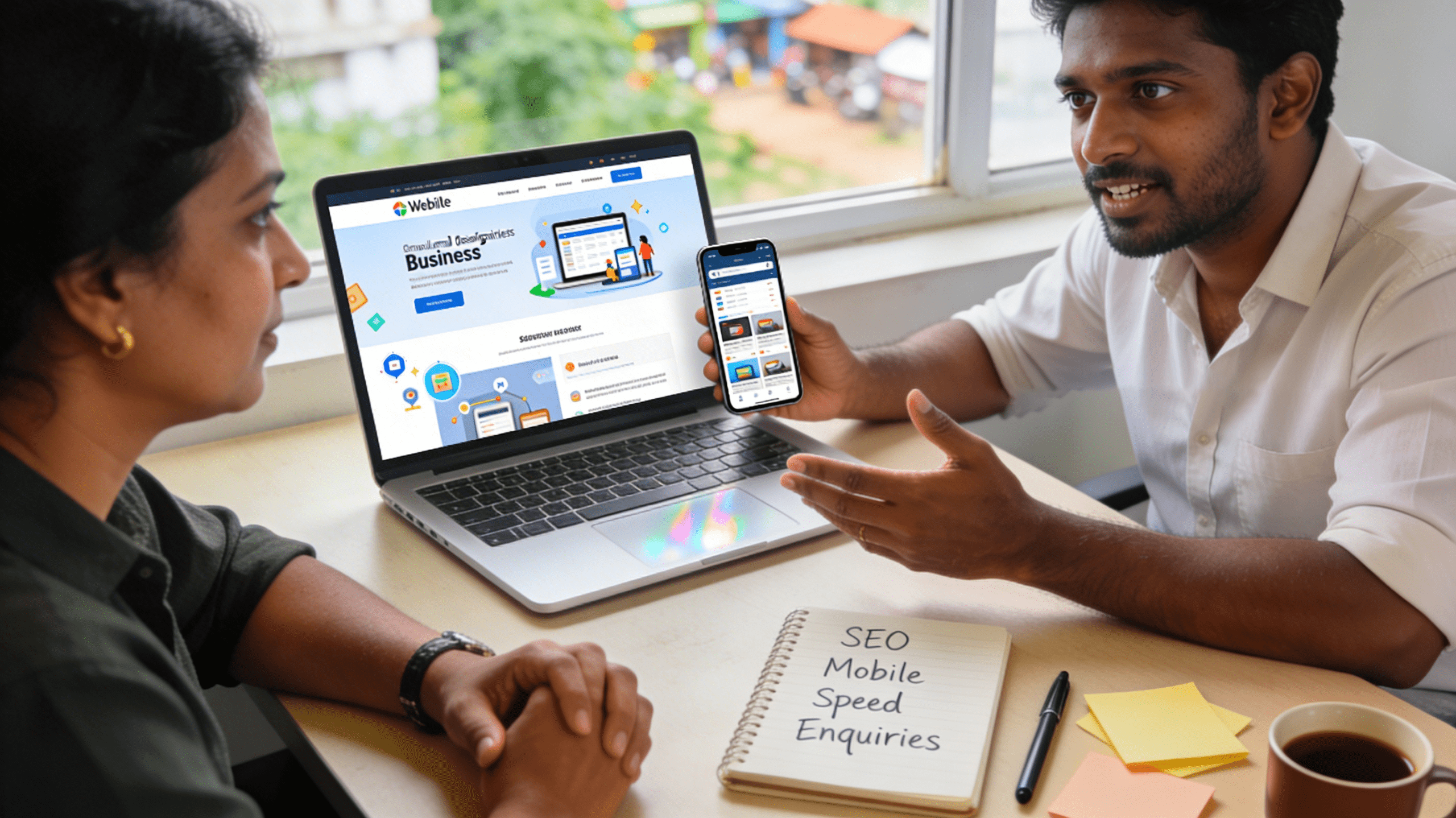
If you want a mobile-friendly, SEO-ready, fast-loading WordPress website designed to bring real enquiries, the next step is a short consultation.
- View services: https://vigroos.in/services
- See projects: https://vigroos.in/projects
- Get in touch: https://vigroos.in/contact
- Know more about me: https://vigroos.in/about
If you’re planning a new WordPress website (or improving an existing one), these posts will help you make better decisions and get more enquiries:
- 10 Essential WordPress Speed Optimization Tips to Boost Performance in 2026
- Professional WordPress Designer for Business Websites
- Why Every Small Business Needs a Website in 2026
- Small Business Website Secrets: Turn Visitors Into Paying Clients Fast
💼 Ready to Launch? Compare local packages and standard deliverables in our detailed guide to WordPress website cost in Mayiladuthurai (2026).
Frequently Asked Questions: Best Website Developer in Mayiladuthurai
Choosing the best website developer in Mayiladuthurai ensures your organization deploys a modern digital storefront engineered for high conversion rates, automated lead capture, and top search engine rankings.
What key capabilities distinguish the best website developer in Mayiladuthurai?
The best website developer in Mayiladuthurai builds lightweight, mobile-first WordPress websites that score 90+ on Google PageSpeed Insights, integrates automated WhatsApp conversion funnels, and implements comprehensive local SEO schema.
Can the developer handle online payment integrations for local stores?
Yes. Expert developers integrate direct Indian payment gateways such as Razorpay, Cashfree, and PhonePe, enabling customers to pay effortlessly via UPI, credit/debit cards, and net banking with automated GST invoices.
What support is offered after website delivery?
Clients receive comprehensive post-launch warranty support, including automated daily backups, security monitoring, staff training video tutorials, and prompt technical assistance for future expansion.
Review technical web standards from the World Wide Web Consortium.