Looking for authoritative insights on what is a WordPress website? This 2026 guide outlines proven packages, strategic recommendations, and technical best practices.
A WordPress website is a website built using WordPress, one of the most popular website-building platforms in the world. It helps beginners and businesses create everything from simple business websites to blogs, portfolios, and full ecommerce stores—without needing to code everything from scratch.
If you’ve been wondering what is a WordPress website, how it works, what it costs, and whether it’s the right choice for your business, this guide explains it in plain language.
What Exactly Is WordPress?
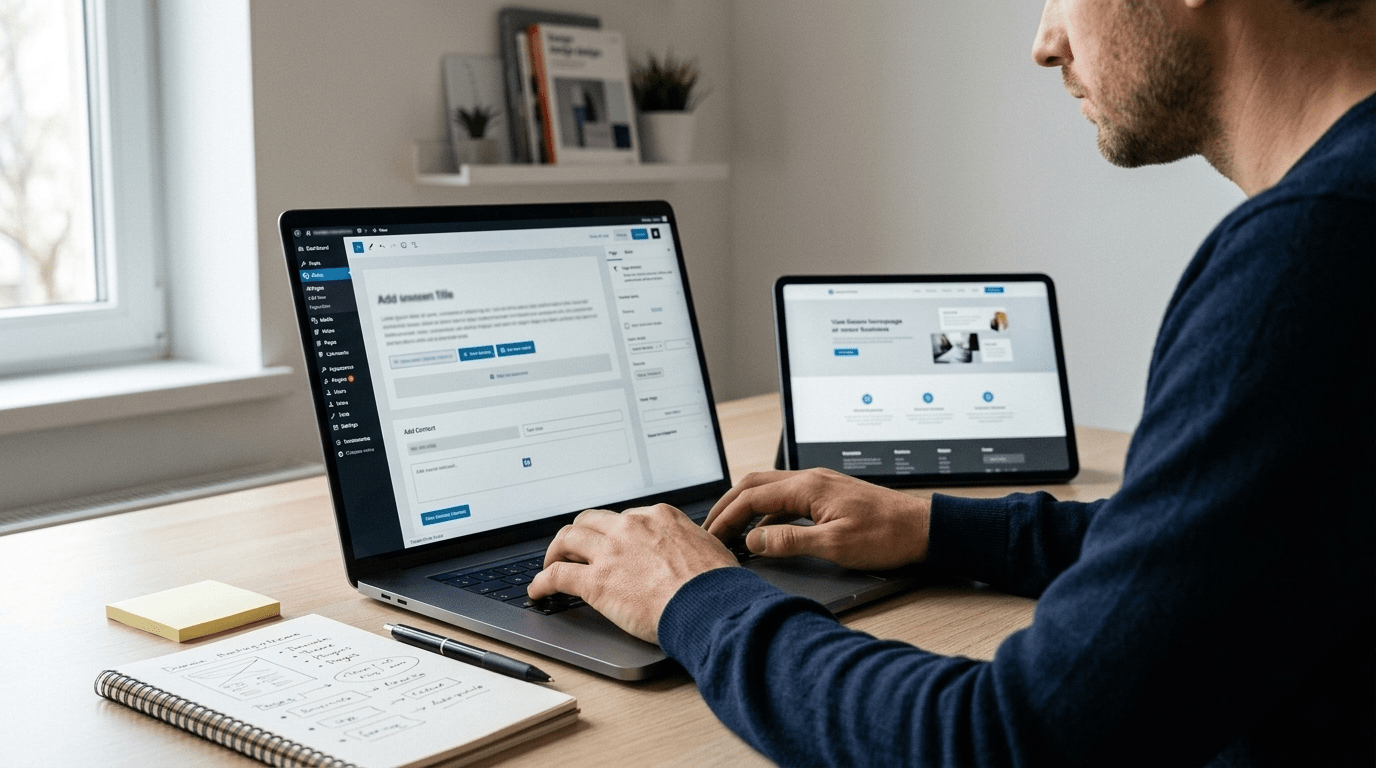
WordPress is a Content Management System (CMS). A CMS is software that lets you create, edit, and manage website content (like pages, images, and blog posts) from a dashboard—similar to using an app.
With WordPress, you can:
- Create pages (Home, About, Services, Contact)
- Publish blog posts
- Upload images and videos
- Add contact forms
- Customize design using themes
- Add features using plugins (like SEO tools, ecommerce, security, etc.)
WordPress official site: https://wordpress.org/
WordPress.org vs WordPress.com (Important Difference)
Beginners often confuse these two:
WordPress.org (Self-hosted WordPress)
This is the most common choice for businesses.
- You buy hosting + a domain
- You install WordPress
- You have full control over design and features
- You can use any theme/plugin
- Best for SEO, scalability, and customization
WordPress.com (Hosted WordPress)
This is a hosted version with limitations on lower plans.
- Easier setup
- Less control unless you pay for higher plans
- Can be restrictive for business websites and advanced SEO
If you’re building a professional business site that should rank on Google and generate leads, WordPress.org is usually the better choice.
How Does a WordPress Website Work? (Simple Explanation)
A WordPress website is made of a few key parts:
1) Domain Name
Your website address, like: yourbusiness.com
2) Hosting
A server where your website files live. Hosting affects speed, uptime, and security.
3) WordPress (CMS)
The software that runs your site and gives you the admin dashboard.
4) Theme
Controls your website’s design (layout, fonts, colors).
5) Plugins
Add extra features like:
- SEO
- contact forms
- caching/speed
- security
- ecommerce (WooCommerce)
What Can You Build With WordPress?
WordPress is flexible. You can build:
Business Websites
Perfect for service-based businesses:
- Home, About, Services, Projects, Contact
- WhatsApp/call buttons
- enquiry forms
- local SEO setup
Blogs
Great for SEO and long-term traffic.
Portfolios
Useful for freelancers, designers, agencies.
Ecommerce Stores (WooCommerce)
Sell products online with:
- product pages
- categories
- cart/checkout
- payment gateway integration
WooCommerce official site: https://woocommerce.com/
Landing Pages
High-converting pages designed specifically to generate leads.
Why WordPress Is So Popular (Beginner-Friendly Benefits)
Here’s why many small businesses and startups choose WordPress:
Easy to update
You can edit text, change images, or add blog posts without technical help.
Flexible design options
Thousands of themes and builders are available (like Elementor).
SEO-friendly structure
WordPress can be optimized well for Google when set up correctly (titles, headings, speed, schema, internal links, etc.).
Scalable
You can start small and add features later (booking, ecommerce, memberships, etc.).
Large community and support
Because WordPress is widely used, it’s easier to find solutions and developers.
WordPress Website vs Custom-Coded Website: What’s the Difference?
WordPress website
- Faster development
- Lower cost compared to full custom coding
- Easy to manage
- Ideal for most business websites
- Can still be highly customized
Custom-coded website
- Full control at code level
- Useful for very unique applications
- Usually higher cost and longer timeline
- Updates often require a developer
For most beginners and local businesses, WordPress is the practical choice because it balances quality + cost + speed + manageability.
What Pages Should a Beginner WordPress Website Have?
For most small businesses, a strong starting structure looks like this:
- Home (what you do + benefits + proof + CTA)
- About (trust story, who you are, why choose you)
- Services (clear service list and details)
- Projects / Portfolio (proof of work)
- Testimonials (trust builder)
- Contact (click-to-call, WhatsApp, enquiry form)
If you want an example of a clean service structure, you can view:
https://vigroos.in/services
And portfolio-style proof:
https://vigroos.in/projects
What Is a Theme in WordPress?
A theme controls your site’s design and layout.
Themes can be:
- Free (good for starting, but may be limited)
- Premium (more features, better support)
- Custom-designed (best for unique brand design and conversion-focused layout)
A theme is not the same as a website strategy. Even a premium theme can perform poorly if:
- the layout is confusing,
- CTAs are weak,
- speed is slow,
- or content is unclear.
What Is a Plugin in WordPress?
A plugin adds extra functionality—like installing apps on your phone.
Common plugin categories:
- SEO (example: Rank Math)
- Security (firewalls, login protection)
- Backups
- Speed and caching
- Forms (enquiry forms, newsletter forms)
- Ecommerce (WooCommerce)
Important note: Installing too many plugins can slow down a site. A clean, well-built WordPress website uses only what’s needed.
Is WordPress Good for SEO?
Yes—WordPress can rank very well on Google, but only when it’s set up properly.
A WordPress website becomes SEO-ready when it has:
- Clean page structure (H1, H2, H3 headings)
- Proper SEO titles and meta descriptions
- Fast loading speed (especially mobile)
- Optimized images (WebP, compression, correct sizes)
- Internal linking (pages connected naturally)
- Schema markup (Article, FAQ, LocalBusiness where needed)
You can test page speed here: https://pagespeed.web.dev/
Google SEO fundamentals: https://developers.google.com/search/docs/fundamentals/seo-starter-guide
WordPress Website Cost (Beginner Breakdown)
WordPress website cost has two parts:
1) Yearly essentials (ongoing)
- Domain (yearly)
- Hosting (yearly or monthly)
- Optional: premium theme/plugins (yearly)
2) Website build cost (one-time)
Depends on:
- number of pages
- design quality
- content help (writing, images)
- SEO setup
- ecommerce features (if needed)
If you want a professional WordPress website that is fast, mobile-friendly, and built for enquiries, you can review:
https://vigroos.in/
Or contact directly: https://vigroos.in/contact
How Long Does It Take to Build a WordPress Website?
A typical timeline for a professional WordPress build is 1 to 4 weeks, depending on:
- how many pages you need,
- how quickly content is provided,
- and revision rounds.
Basic sites can be faster. Ecommerce sites usually take longer because of products, payment setup, and testing.
What Is Elementor in WordPress?
Elementor is a page builder plugin that makes it easier to design pages visually using drag-and-drop tools.
It’s popular because it:
- speeds up design and layout creation
- allows modern sections and responsive controls
- helps non-technical users update content later
Elementor can produce excellent results when used carefully. A good build still needs:
- clean structure,
- optimized images,
- and performance tuning.
WordPress Security: Is WordPress Safe?
WordPress can be very safe, but it requires basic maintenance.
A secure WordPress website includes:
- SSL certificate (HTTPS)
- strong admin passwords
- regular WordPress/theme/plugin updates
- backups
- security monitoring
- spam protection for forms
Many security issues happen when websites are not updated for a long time.
If you prefer ongoing help, a maintenance plan can keep your site fast and secure long-term.
What Makes a WordPress Website “Professional”?
A professional WordPress website is not only about looks. It should also:
- load fast on mobile
- have clear calls-to-action (Call / WhatsApp / Get Quote)
- be structured for Google SEO
- build trust quickly (testimonials, proof, portfolio)
- make contacting you easy
If you want to see what a conversion-focused layout looks like, view:
https://vigroos.in/projects
Beginner Mistakes to Avoid With WordPress
Avoid these common mistakes if you want your site to perform well:
- Choosing design over clarity (people must understand your offer quickly)
- No strong CTA (visitors don’t know what to do next)
- Heavy images (slows down the site)
- Too many plugins (performance and security risks)
- No backups (danger if something breaks)
- Ignoring mobile layout (most visitors are on phones)
- No SEO basics (Google can’t rank pages properly)
Quick Checklist: WordPress Website Setup for Beginners
Use this as a simple starting checklist:
- Buy domain + hosting
- Install WordPress
- Choose a clean theme
- Create essential pages (Home, About, Services, Contact)
- Add enquiry form + WhatsApp/call buttons
- Install only necessary plugins (SEO, security, caching)
- Optimize images (compressed + WebP)
- Set SEO titles and meta descriptions
- Create a clear menu and footer
- Test mobile layout and speed
FAQs: What Is a WordPress Website?
What is a WordPress website in simple words?
A WordPress website is a website built using WordPress software, which lets you create and manage pages and content easily from an admin dashboard.
Do I need coding to build a WordPress website?
Not necessarily. Many WordPress sites can be built using themes and page builders. Custom coding is only needed for advanced features.
Is WordPress free?
WordPress software (WordPress.org) is free, but you still need to pay for hosting and a domain to run a website.
Can a WordPress website rank on Google?
Yes. With good SEO setup, fast performance, and quality content, WordPress websites can rank well on Google.
Is WordPress good for ecommerce?
Yes. With WooCommerce, WordPress can run a full ecommerce store with products, payments, and order management.
Build Your WordPress Website the Right Way
If you want a WordPress website that looks professional and also brings enquiries through clear design, mobile-first UX, and SEO-ready structure, explore:
- Home: https://vigroos.in/
- Services: https://vigroos.in/services
- Projects: https://vigroos.in/projects
- About: https://vigroos.in/about
- Contact: https://vigroos.in/contact
Build Your WordPress Site Today: Get started with our professional custom WordPress website development services engineered for lightning speed, SEO, and sales conversion.
Frequently Asked Questions: What Is a WordPress Website?
Understanding what is a WordPress website helps entrepreneurs and business owners make informed, cost-effective decisions when building their online brand.
What is a WordPress website and how does it actually work?
A WordPress website is a dynamic digital platform built upon the world’s most popular open-source content management system (CMS). It separates website design (themes) from functionality (plugins) and content (database), allowing non-technical users to manage text, photos, and products easily.
What is the difference between WordPress.com and WordPress.org?
WordPress.org provides free open-source software that you install on your own self-hosted server, granting 100% ownership and unlimited customization. WordPress.com is a hosted commercial platform with tiered monthly subscription plans and plugin restrictions.
Why is a WordPress website the preferred choice for commercial businesses?
WordPress powers over 43% of all websites globally due to its unmatched flexibility, vast plugin ecosystem, superior search engine optimization architecture, and complete independence from proprietary software vendor lock-in.
Learn more about the open-source software project at WordPress.org.